A three-minute call. A complete record.
Hear it first. Everything else makes more sense after.
Hear it first. Everything else makes more sense after.
HOW IT WORKS
Complete project activity, labor, material usage.
Upcoming critical tasks and constraints.
Utilization, idle time, and movement updates.
Delays, scope gaps, or potential risks.
Scheduling changes and updates.
Safety incidents and observations.
No manual entry. No extra steps.
Validated and written into Autodesk Construction Cloud / Forma, Procore, and other project management software tools your teams already use.
HEAR REAL EXCHANGES
Play any clip to hear exactly how Unbane navigates the call and captures the data.
One question captures the backbone of the daily log.
We ask and verify our understanding of caller's response.
Once a week, we ask what's planned for the week ahead.
We ask when your crew will be present so our calls and the schedule adapts to the project.
Foreman calls in. Three minutes. Just talk.
We extract, structure, and validate the data from the call — before it goes anywhere.
Validated data writes into your software tools. Same day.
FULL AUDIT TRAIL
The moment a foreman or superintendent hangs up, the log is already processed — structured, validated, and synced to your project software tools. No follow-up. No manual entry. No missing data.
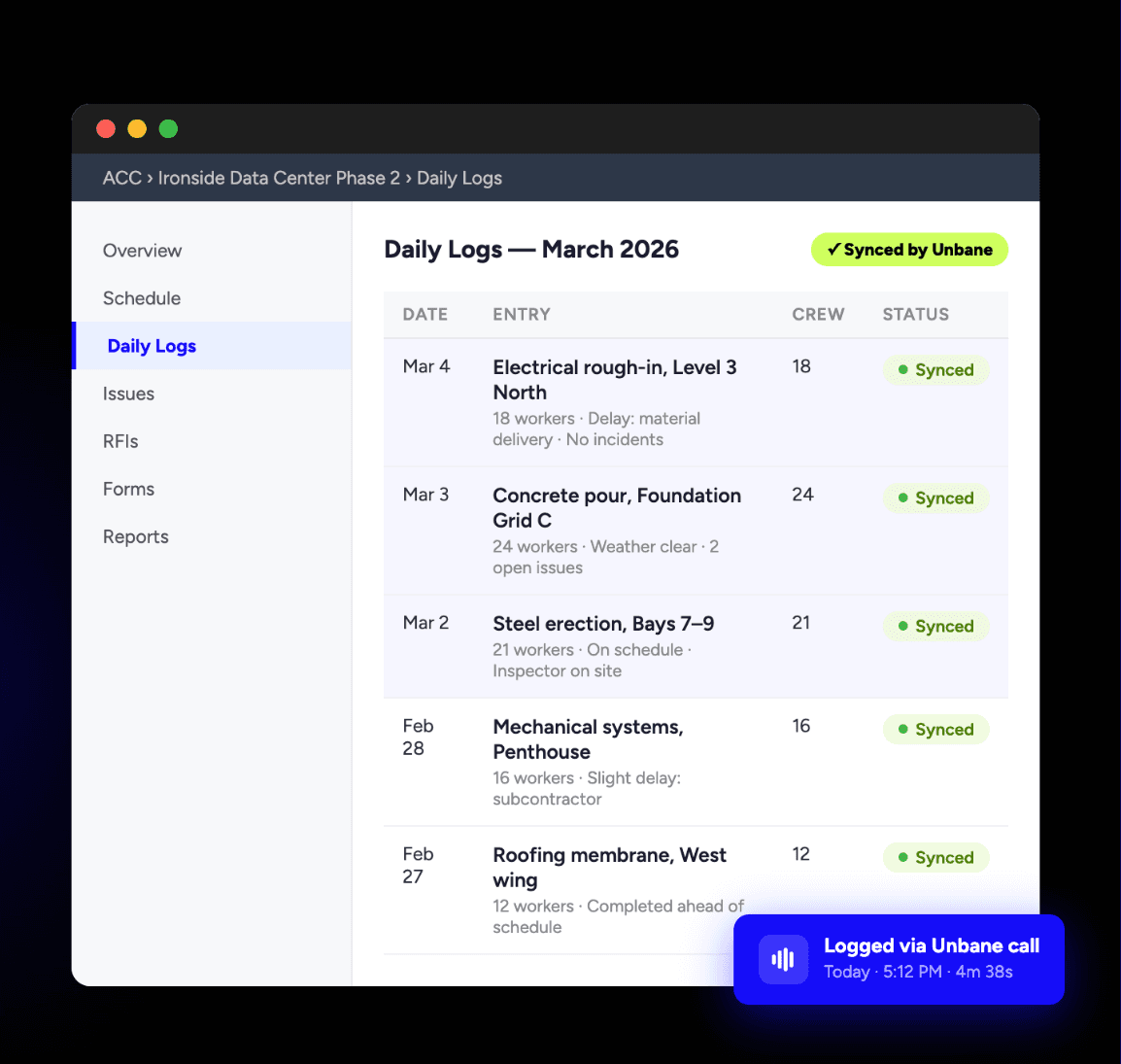
Daily Logs — Ironside Data Center Phase 2 · Synced by Unbane